Customer overview for small businesses
Kundenradar shows on one page how many new customers came in during a period and through which channels: website, shop, form, referral. Next to it you keep your contacts, enquiries and tasks.
Start free See it in the example
Where customers come from
The overview counts new customers, orders and revenue, enquiries, appointments, reviews and lost customers per day, week or month, compared with the period before and split by channel. The figures come from your apps: Shopify, WooCommerce, Stripe, Typeform, Calendly, via Zapier or Make, from a Google Sheet or a CSV file.
For these figures the server only stores totals: day, kind, app, channel, count and amount. It does not store names, e-mail addresses, postal addresses or order contents.
Contacts, enquiries, tasks
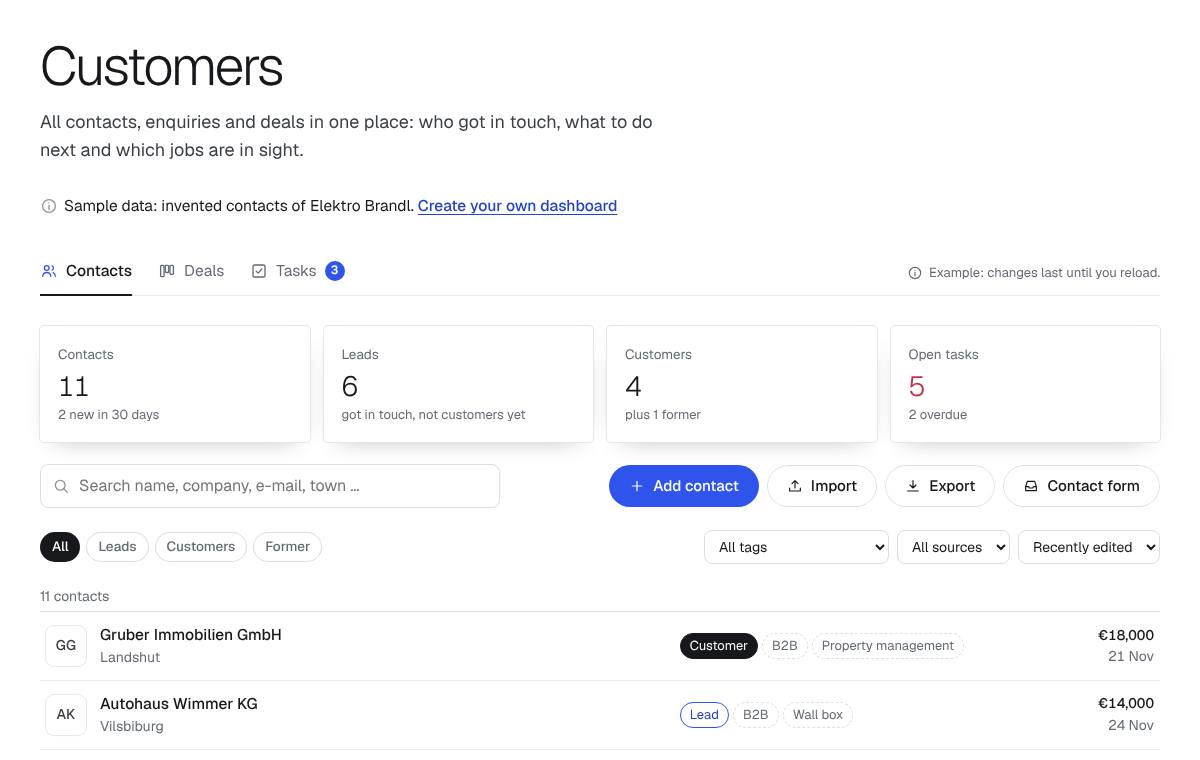
Contacts with a history, deals as a board you drag cards on, tasks with due dates and a calendar with reminders. Contacts are imported from a CSV or vCard file. A contact form for your website puts enquiries straight into your customer list.
The customer list is encrypted in your browser. Enquiries from the form are also encrypted by the server at once with a key only your browser can open. The downside: if your personal link is lost and there is no account, nobody can restore the list.
What it is not: no tool for promotional mail to large lists and no phone system. Kundenradar is meant for businesses that know their customers themselves and want to see what works.